
Plan the keyword work
Research buyer searches and save the evidence in a keyword inventory for the project. See keyword workflows
Home/Platform/Free Marketing Tools and Open-Source Workflows
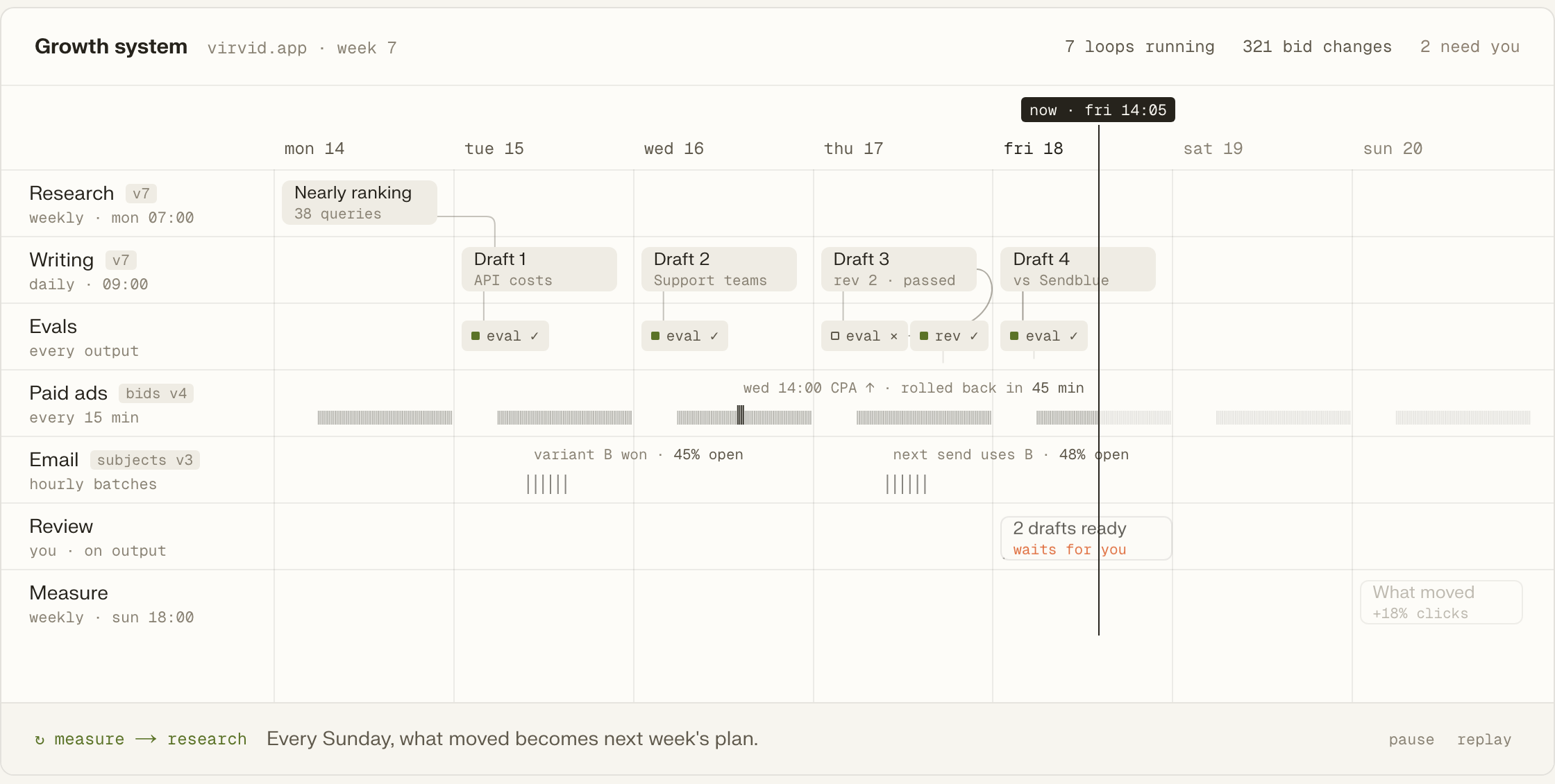
Free marketing tools cover individual tasks; Tin runs several marketing jobs on a schedule, with their research and drafts kept in the same project. Our people set up the open-source system around your repo and data. We then run the jobs your company needs each week.

A free plan or a piece of free software can cover a marketing job such as researching keywords, sending email or reading analytics. Other tools handle post scheduling or search reports. They are useful parts of a small company's marketing, and an established tool can do a job better than something built in-house. Someone still needs to use what it produces: turn the research into a page or bring the report into the next decision.
You can assemble separate free tools and move the results from each one to the next. A paid suite groups several of those jobs in one product. Tin provides an open-source system whose scheduled workflows keep their results in a shared project. Judge those arrangements by the weekly work: whether the jobs run, and whether the person responsible has to keep copying their results between tools to make the next job happen.
A company has several free marketing plans, but the founder only opens them when there is time between product work and sales.
With scheduled workflows, the next run can use the research already saved in the project.
A saved job has its inputs and next run set out. Tin keeps what it produces in the project, where later runs can read it and drafts can wait for review.
A recurring brief needs both the information to read and a time to run. Tin stores those inputs and the schedule with the workflow, and handles its timers and retries. The Week view shows the recurring jobs so the people running them can inspect what is due.
The report from a run becomes a plain file alongside the project's research, drafts and wiki. These files live in a git repository with a history of changes. The next person or agent to work on a page can read the material that informed it in the same project.

Tin's project memory retains the company research and decisions that later runs need. A recurring job can read those records together with earlier reports and drafts. As the work continues, the next brief or research task has the context already gathered for that company available to use.
You approve what ships. Tin presents the draft with its next action, such as opening a pull request or publishing with a click. The owner can inspect the work in the decision card and choose that action or leave it for later. The choice stays attached to the draft.
Tin makes the marketing workflows available to Claude Code, Codex and Cursor. The agent can call a job while working on the project and read the files it produces afterward. The browser opens the same projects, including their research and drafts, so either interface reaches the same work.
Research buyer searches and save the evidence in a keyword inventory for the project. See keyword workflows
Read technical site findings alongside evidence of how assistants describe the company. See audit workflows
Use a weekly social plan to prepare X and LinkedIn writing for review. See social workflows
Build a mailbox shortlist and use a paced email campaign for the selected contacts. See email workflows
Bring competitor-watch findings into the files the team uses to understand its market. See research workflows
Read the weekly brief and PostHog analytics brief when deciding what work comes next. See reporting workflows
The job you keep postponing can be the starting point, whether it is a weekly brief or research for new pages. Our team can take it on from there.
The command connects Codex to Tin; opening the browser gives the team access to the same projects.
codex mcp add tin --url https://app.tin.computer/mcpBegin with the postponed brief or keyword plan and use that work as the first job in the project.
Our people handle the weekly research and drafts, reviewing what is produced before it reaches buyers.
Each workflow folder contains its steps, the data it reads and the evaluations that score it.
Your team can use its own machine and keys to run the system on its schedule.
Edit the file describing a job and send back the changes needed for your work.
Open source, Apache 2.0.
Let's talk about the weekly jobs we could run for you. We adapt Tin to your repo and data and do the work for less than the cost of a junior marketing hire.
The Apache 2.0 code has no licence fee payable to Tin. Running it uses your coding agent and model account, along with the time spent operating the jobs. Our people can take on setup and the recurring work if you want that handled as part of the service.
It can cover some of those jobs and connect to other tools you keep. Search Console, PostHog, GitHub and X are supported connections. We retain a tool when it does the job well and use its data or output in the work that follows.
We can set it up for you and adapt the jobs to the company's repo and data. Teams that already work with a coding agent can add the Tin connection with a command. The browser is another way into the same projects; our people can run the recurring work from there.
No. What the social workflow saves is a batch of drafts for someone to review. It neither posts that batch nor schedules it. The weekly plan determines the topics to write about, and our people review the writing when we run the work for your company.
Talk with the founders and engineers who would set up Tin and run the jobs. We can discuss the marketing work you do by hand today and which recurring tasks you would like us to take on.