
Test research assumptions
Deep research checks the question and its assumptions against cited evidence saved in a project report. Explore deep research
Home/Platform/Generative AI Tools for B2B Marketing Writing
Tin runs generative AI tools as writing jobs in your coding agent, with source evidence saved separately and existing site coverage checked. We set up those jobs and review the articles, and your team can read the open code behind them.

Generative AI tools use an instruction to produce new material. Marketing teams use them to draft articles, suggest social posts and summarise research. ChatGPT is a familiar example of a chat assistant built on a large language model. Producing the text is one part of the writing job: the editor also has to establish what supports its claims and whether the article adds something to the site.
You can ask a chat assistant for text and edit its response. A writing app supplies templates and brand settings to guide repeated jobs. Tin starts from a coding agent with the repo open: it reads the content plan, checks existing coverage and writes in a captured voice with sources kept separately. For B2B articles, judge these choices by what arrives with the draft to help a reviewer pass it.
An editor opens the generated article and finds a statistic with no source. To use the paragraph, they have to find the evidence or cut the figure, then check the remaining claims.
Tin brings the evidence, coverage check and voice guide into the writing job before the draft reaches its reviewer.
Tin reads the planned subject and the evidence behind it before drafting. The reviewer receives the article with that supporting material still available in the project.
The next item in the content plan is a candidate for writing. Tin checks what the site already says about it and whether there is enough evidence to proceed. A covered subject or thin evidence leads to an explanation of why no draft was written, saved for the team to read.

Tin saves the article's research and project evidence separately from its publishable text. The reviewer can open both in the project and compare what the article says with the material behind it. When feedback calls for an edit, the evidence is still there to work from.
Choose writing samples for style capture to read. Tin saves a voice guide as a project file, which you can edit as the company's wording develops. Later article runs load that guide before they write, so the style instructions stay available beyond the conversation that produced them.
You approve what ships. A draft can arrive through a pull request or be published with one click. Read the proposed text with its supporting evidence in the project. Approval of a public article belongs to that version of the document, so the decision refers to the wording that was in front of the reviewer.
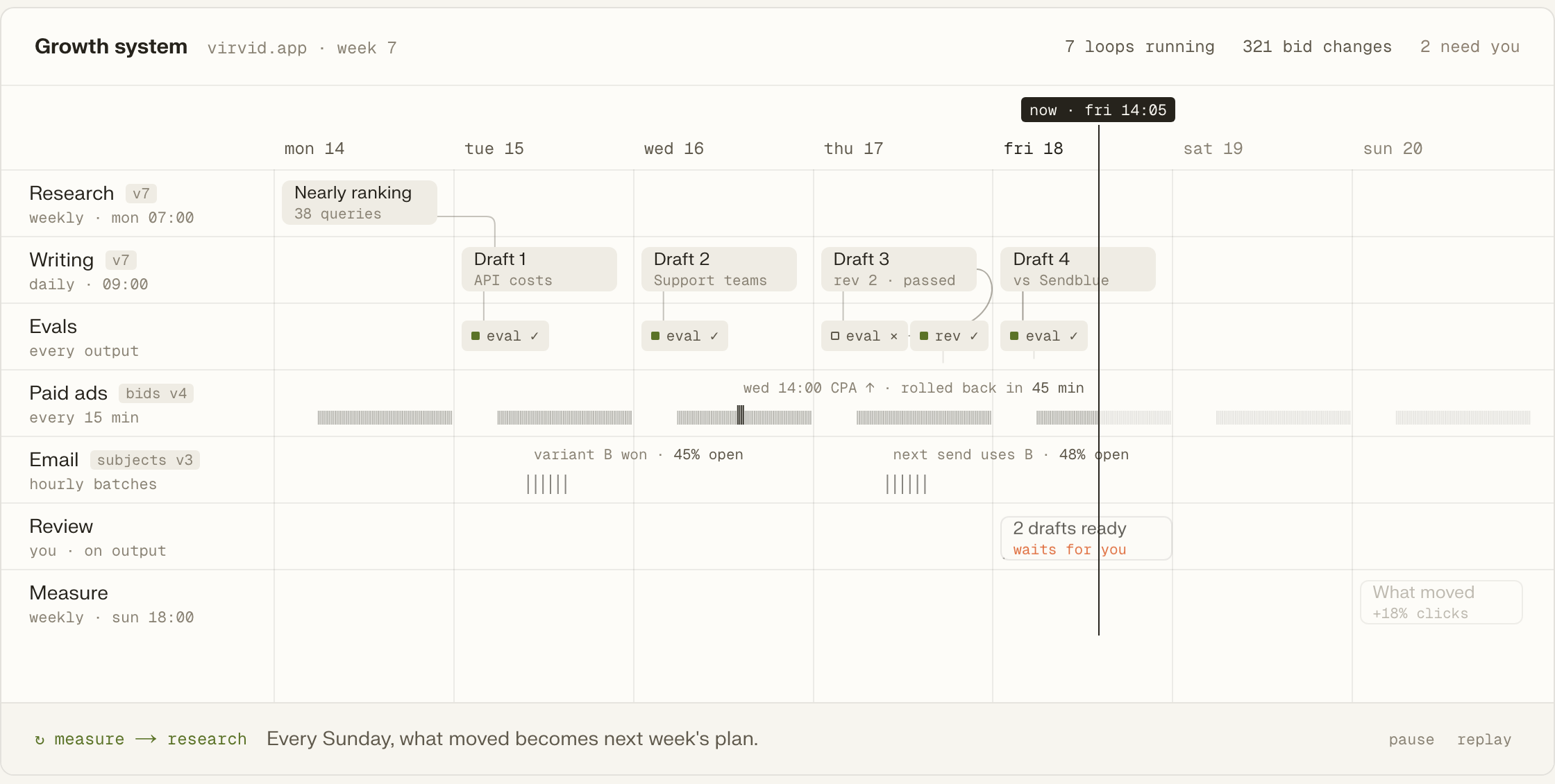
The weekly run gets its next subject from the saved content plan. Its inputs and schedule stay with the writing job; Tin handles timers and retries around it. Research and drafts accumulate as files with git history, which later runs can read when working on the next article.
Deep research checks the question and its assumptions against cited evidence saved in a project report. Explore deep research
A public article starts with a brief and develops it from the project's research and history. Explore public articles
The content plan supplies the questions and order for later article drafting jobs. Explore the content plan
X and LinkedIn jobs save proposed posts for a person to develop and review. Explore social writing
Diagram work gives the project a visual way to explain the subject beside its text. Explore diagrams
Brand and design capture preserves a reference for the company's visual presentation in the project. Explore brand capture
Connect a project and establish the writing samples it should learn from. Tin reads the saved voice guide and content plan when it drafts the article.
Add the hosted server to Codex, or open Tin in the browser to work with the project's files and drafts.
codex mcp add tin --url https://app.tin.computer/mcpStyle capture asks which writing it may use, then saves a guide your team can read and edit.
The content plan supplies the next subject, and Tin checks the site's coverage before developing it into a draft.
The article and voice workflows are text in the repo.
Generate drafts with your own keys, from your own data, when you want them.
Edit the writing steps in the file and send the change back.
Open source, Apache 2.0.
We can set up Tin on your repository and data, adapt the writing jobs to your company and take on the editorial work. Our people choose the subjects, direct the agents and check the resulting articles against the product and its sources.
Compare what comes back with the article. Its claims need sources; its topic needs a reason to exist beside the site's current pages; its wording needs a voice to follow. Tin brings those references into the drafting job, giving the editor material to consult when deciding whether the article is ready.
Tin works through the coding agent you already use, such as Claude Code, Codex or Cursor. That agent connects to Tin's MCP server to run the writing jobs. Its repository context helps it supply accurate inputs and compare the resulting draft with what the product does.
It can take on much of the drafting. A writer still has to judge what the company should say and whether the article says it accurately. We can supply those people as part of the service, choosing subjects, editing the drafts and checking the claims before buyers read them.
The browser at app.tin.computer also opens the same projects. You can read the files and drafts there and work with the writing jobs. Our people can handle the setup and ongoing work too, from researching a subject through drafting and editing the article for your company.
Meet the founders and engineers who set up the system and run its marketing work. We can discuss which writing jobs your team wants help with, the evidence behind them and how the drafts would be reviewed.