
Develop articles from audits
The audit-to-articles system carries search findings through the work of preparing content. See the search system
An agent workflow saves a repeatable job with declared inputs, a schedule and a review step. Tin provides marketing workflows for coding agents, and we set them up on your company's repository and run them.

An agent workflow defines a job and lets an agent do the reading, writing and judgment within it. Anthropic distinguishes workflows, which follow predefined code paths, from agents, which direct their own steps and tool use. Combining them gives a repeatable task room for judgment inside its steps. n8n describes this as needing more agent judgment as less of the process can be defined beforehand.
A prompt suits a one-off job; Claude Code Docs also describes scheduling repeated work. n8n puts an agent node inside a defined automation flow for a judgment call. Tin saves each workflow in a repo folder, with its steps, data and evaluations. The coding agent runs that job on a schedule, with public delivery held for review. The test is whether the job repeats next week and anyone can read what it did.
The report is due again, so someone writes another prompt. Last week's report may have followed different instructions about what to read and which questions to answer.
Saving the job's inputs, steps and output gives each run a defined task and leaves a record for the next person.
Open a workflow folder to see what starts the job, how it runs and where its report lands. The agent works from those saved instructions each time.
Required and optional inputs state what a run uses. For example, the signup walkthrough requires product_url and accepts optional notes. The agent reads the URL from the required field and any extra context from the notes. The next run uses those same fields, so the team can see what the agent was asked to use.

The workflow records the steps for a bounded run and states its guardrail. A later run follows the sequence already written in the folder. For the checkout trust check, fixed rules govern the verdict, so repeated checks of the same evidence agree and the team can compare them.
A schedule stays with the job, and Tin manages its timers and retries. Ask your agent, "Schedule Tin's weekly brief for Tuesday mornings." Tin saves when the brief should run with the job itself. Open the schedule to see when that report is due again.
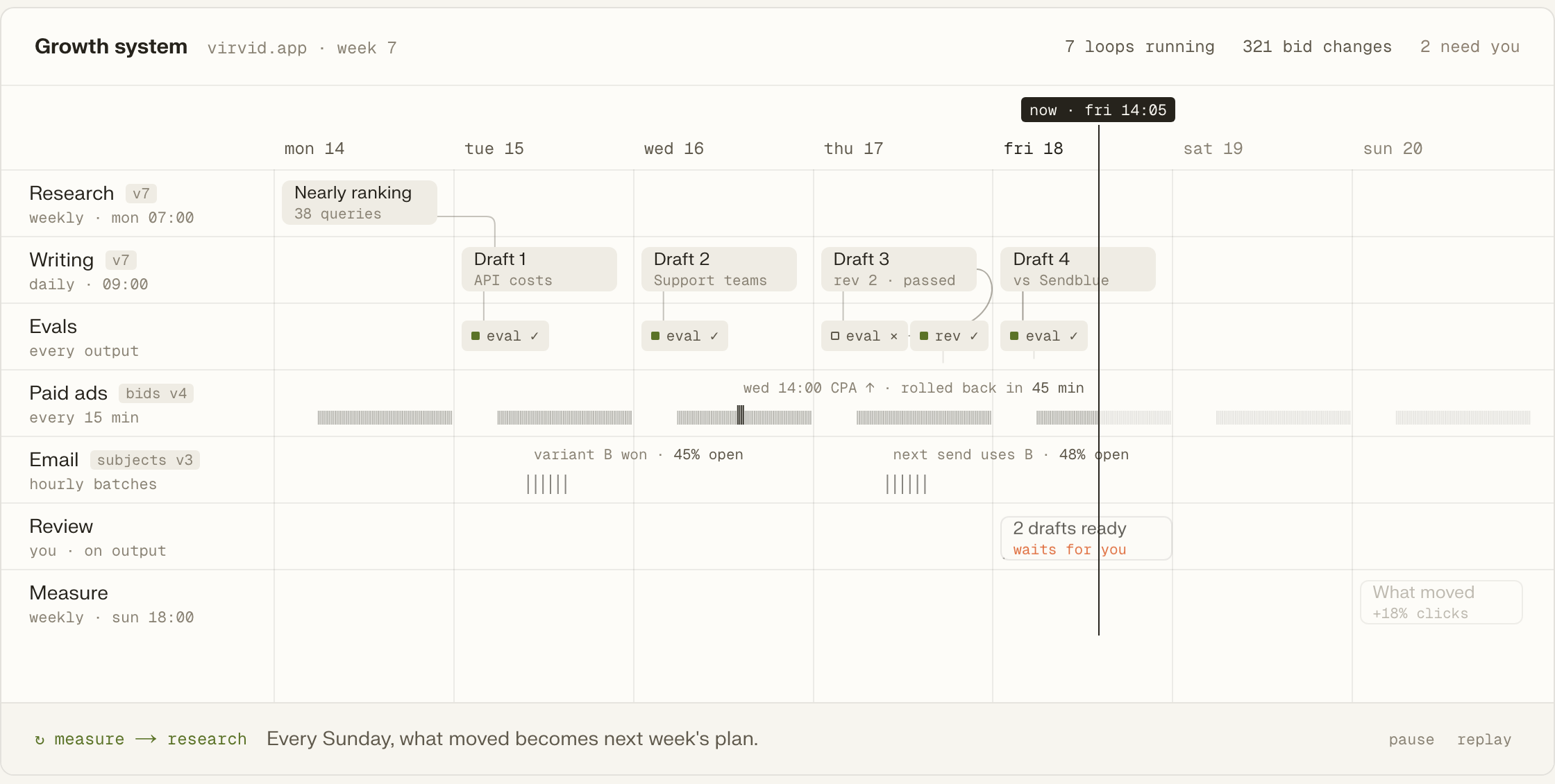
A workflow specifies the file it will write in the project repository. The checkout trust check, for example, writes reports/BUYER_TRUST.md. A teammate can open that file to read the verdict and ranked fixes. The file has git history, so changes to the report stay in the repository too.
The workflow delivers a draft through a pull request or a one-click publishing action and pauses until the owner authorizes delivery. The saved workflow includes that wait. On the next run, the agent again leaves the public action for the owner to decide.
The audit-to-articles system carries search findings through the work of preparing content. See the search system
Keyword and content plans feed the article drafts the next writing job produces. See planning workflows
Writing style capture gives later drafts a record of how the owner writes. See voice workflows
A mailbox shortlist supplies the people for a paced email campaign. See email workflows
A paid ads assessment feeds Google Search campaign launch, then campaign check-ups. See the ads sequence
Project memory consolidates durable outputs into a wiki that later workflows read. See project memory
Ask the coding agent for the marketing job while your repository is open. It can call a Tin workflow, or we can adapt one for the work you need.
Add Tin to Codex, then ask for the report or campaign check in plain words, using the workflow's example request.
codex mcp add tin --url https://app.tin.computer/mcpOne command turns the skills your team already uses into workflows that Tin can run.
We write and run the workflows around your company's repository, adjusting the saved jobs to how the team works.
Every workflow is text in the repo, with its steps, data and evaluations together.
The agents use your keys and data, on the schedule you set.
Edit a workflow folder and return it as a pull request.
Open source, Apache 2.0.
We can turn the marketing jobs your company repeats into workflows on your repository. We set them up, run them and improve the instructions as the work develops. Your engineers can keep editing through their coding agents, and the code remains yours after we leave.
You can work directly with the workflow files through your coding agent. A Tin job is text in the repository, including the steps the agent reads and runs. The same projects also open in the browser at app.tin.computer, where you can see the project alongside the jobs it runs.
A workflow reads the data its declared inputs and your company's connections supply. Those connections include GitHub, Google Search Console, Google Ads and PostHog. The individual job states its limits: for example, the PostHog brief uses bounded, read-only queries within the selected project. Inspect the job's inputs and guardrail for its scope.
Yes, Tin also provides an API and a browser at app.tin.computer. The browser opens the same projects used by coding agents, so the saved work remains tied to the project. The workflow page lists its API and browser options alongside the coding-agent connection.
On our service, we read the outputs and discuss what to continue, change or stop with the founder each week. If a report needs a different focus, we change the saved instructions for that job. Your company's engineers can also modify those files through their coding agents, keeping the instructions available to both teams.
Talk through your recurring marketing with the founders and engineers who build and run Tin workflows. Together we can discuss which jobs to save first and how we would run and improve them on your company's repository.